Fitting Models in Small Spaces: Squash and Truncate
2 minutes read
Often when you are doing buildings for model railroads, you only need a small fraction of the build because of limited space. If it's just against the backdrop, this can be just the front facade - a really easy operation in makeacut because it's a 2D modelling language at the base. There's two other things you might like to do also: just cut the model up, keeping the front bit and getting rid of the back; or foreshorten the model so the depth dimension isn't in the same scale as the front. We've got two new assembly commands to help with this.
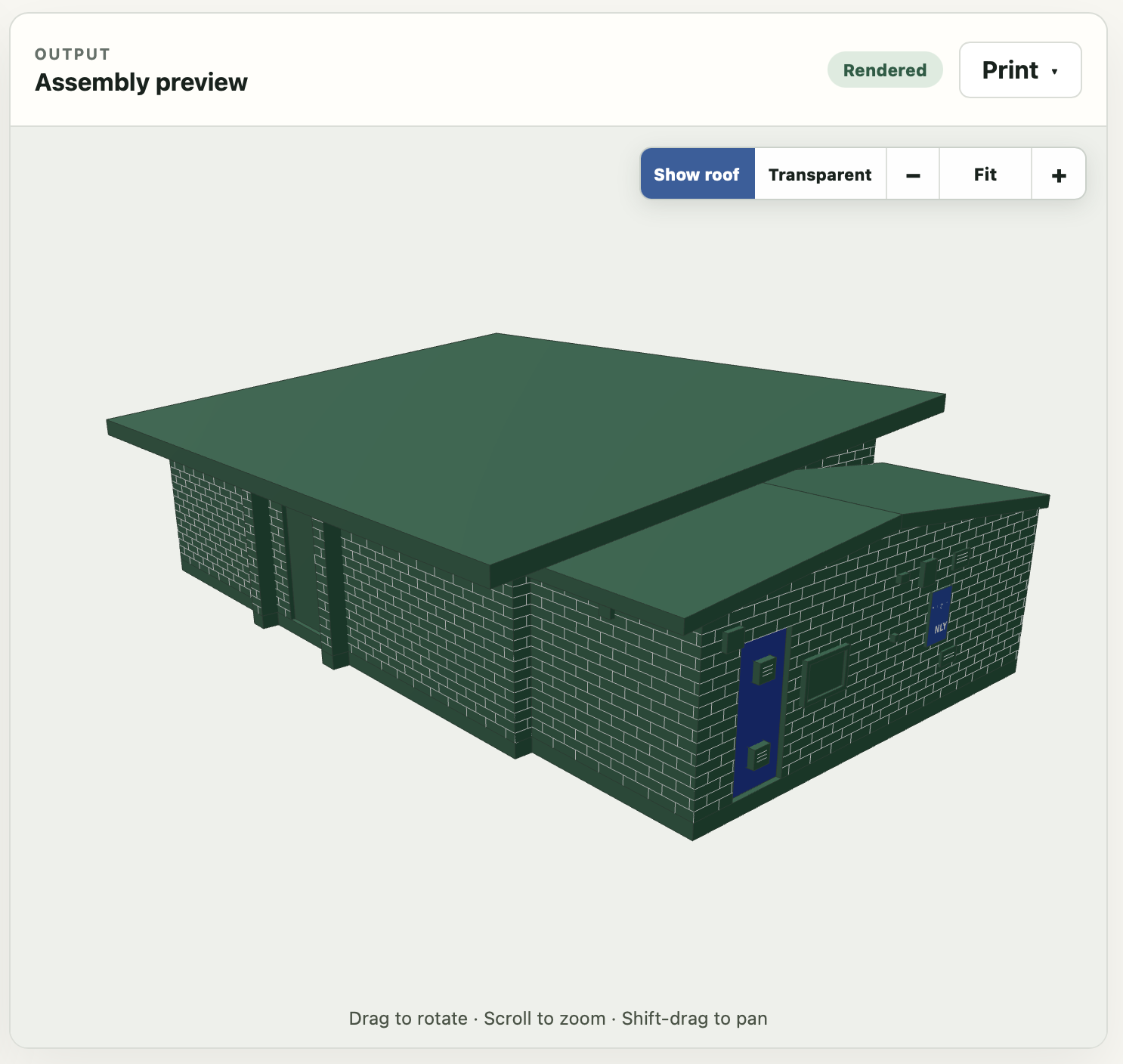
For reference, here's our original building:
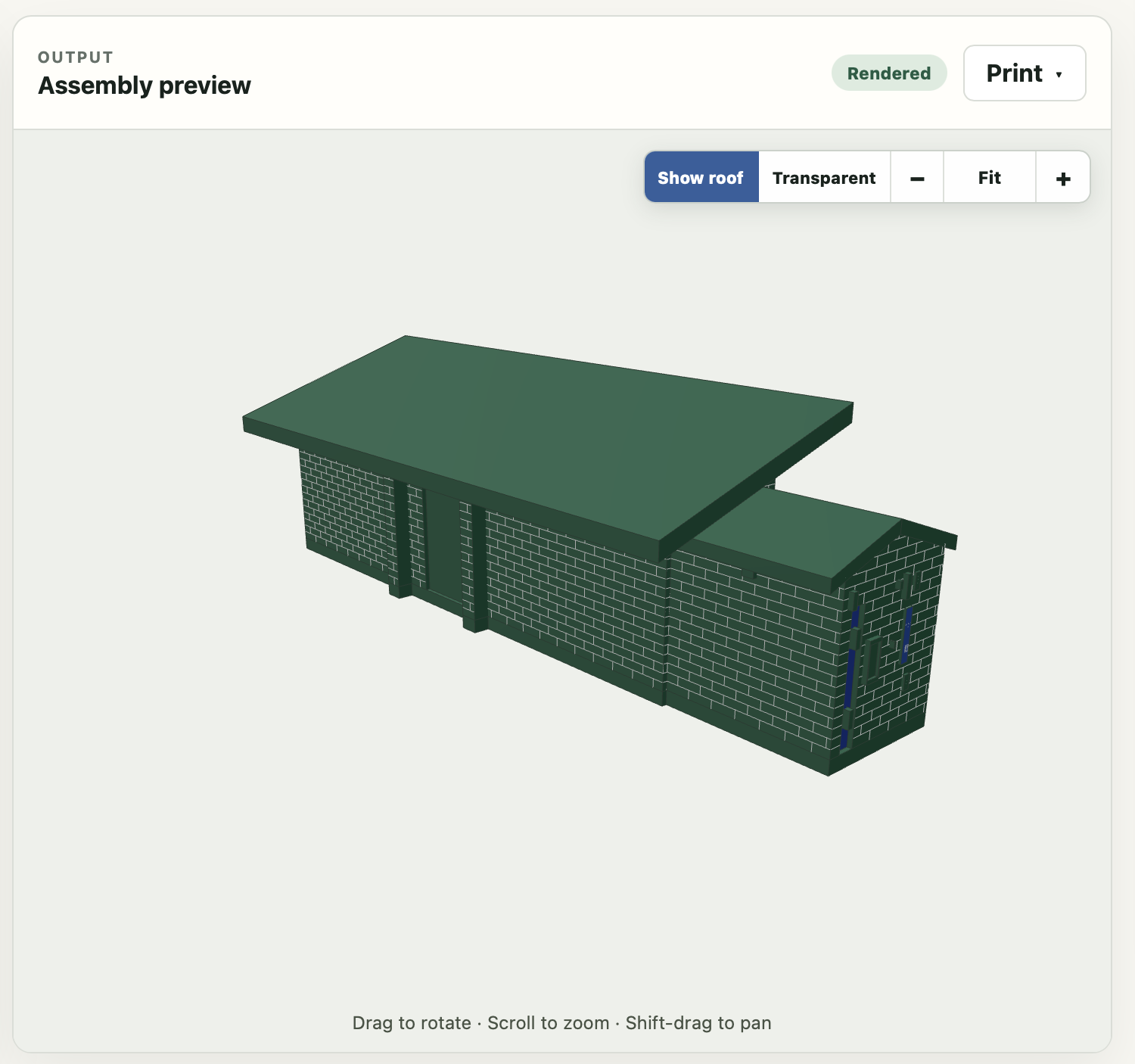
squash
squash compresses the building's depth. It can be a percentage (the final amount left) or in design units (e.g. "squash to 3 meters")
assembly club:
    squash 30%
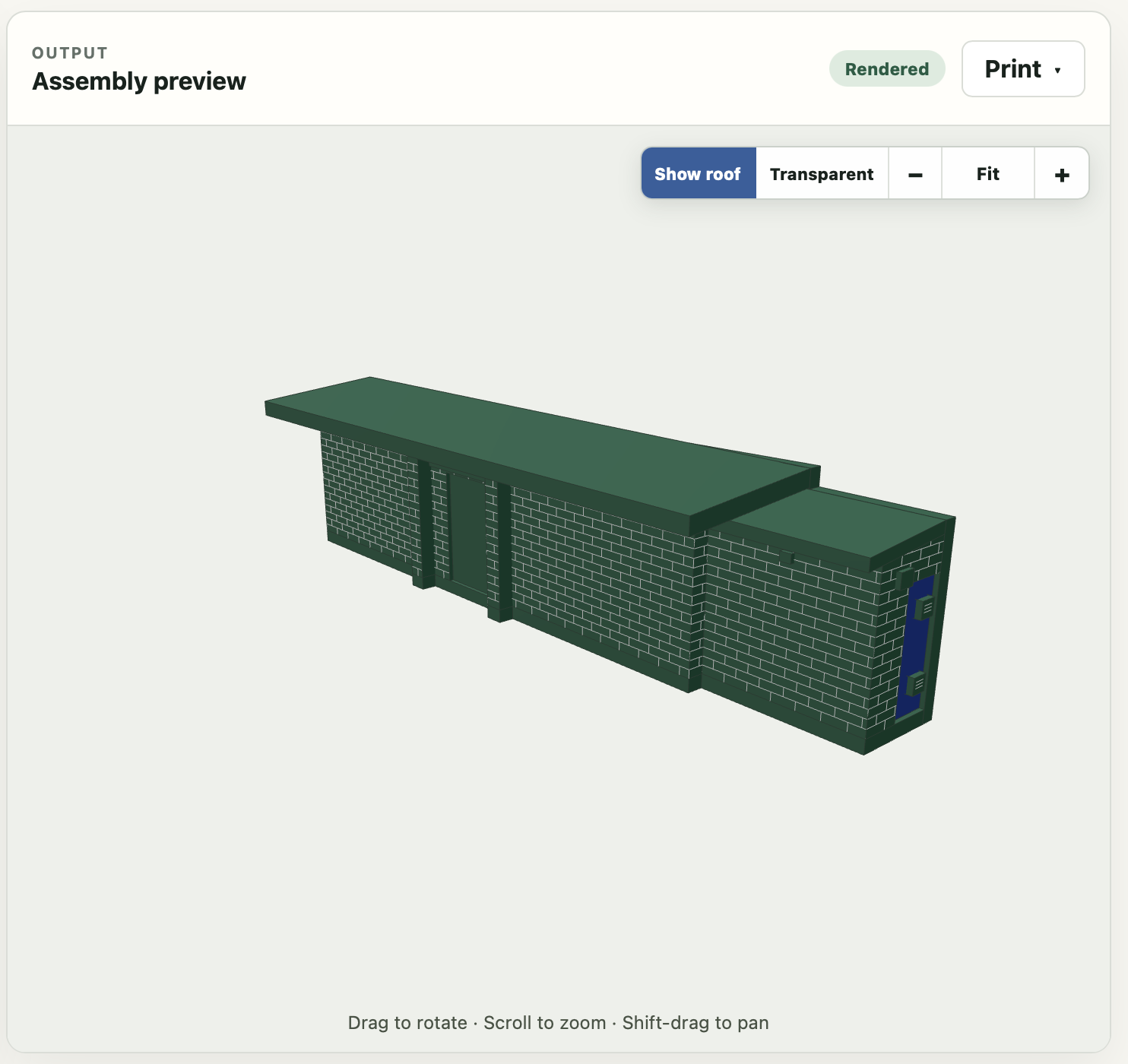
truncate
truncate: turns an assembly into a "low-relief" model. You give it a depth, and it keeps only that much of the building starting at the front. Note that this is a block, not just a directive as in the future we'll probably add options to e.g. do this from the side rather than the front.
assembly club:
    truncate:
        depth 2
These two commands can be combined. If you do so, squash is applied first, then truncate.